In 2024 alone, Apple rejected nearly 2 million app submissions, which works out to roughly one in four apps failing to get approved on the first try. Most of those rejections had nothing to do with broken apps. They happened because of missed guidelines, privacy issues, metadata mistakes, or small technical details that developers didn’t catch in time.
That’s what a lot of teams miss out on. Some founders handle the whole publishing process themselves. But if you are confused or afraid of missing out on essentials, then collaborating with an experienced mobile application development company is the best option for you. They will help you avoid delays, rejections, and rework.
This guide presents a practical walkthrough of how to publish and update your app on the Apple App Store and Google Play Store accurately and professionally.
You’ll have clear answers to questions like:
- How do you publish an app on the App Store and Google Play step by step?
- What do you need to prepare before submitting your app for review?
- How long does app review really take on Apple and Google?
- Why do apps get rejected, and how can you avoid it?
- What’s different when publishing an app update versus a new app?
- How do privacy policies, permissions, and data safety forms affect approval?
- What happens after your app goes live, and what should you do next?
Thinking About Publishing or Updating Your App?
From store guidelines to submission strategy, small mistakes can delay launches. Working with an experienced mobile app team can help you get it right from day one.
Talk to Our Mobile App ExpertUnderstanding App Store and Google Play Publishing Basics
What Does Publishing an App Actually Mean?
Publishing an application is not like uploading or submitting a piece of content like we usually do on other platforms. It is a strategic process that involves app build submission, store listing, and required details. These are reviewed for performance, user experience, privacy handling, and whether your app justifies the claims of its description.
Any unclear or inconsistent details can lead to rejections or delays despite the app working properly.
App Submission vs App Review vs App Release
Publishing applications is one of the areas where people misunderstand the most by thinking that everything is done at once. Actually, there are three distinct phases:
- App submission, which entails uploading your build and finishing your store listing.
- App review when Apple or Google investigates your app according to their policies.
- App release is when the app that has been approved is allowed to be used by the public.
Once your app is approved on Google Play, you can decide when it will be released. On the App Store, approval and release may happen almost simultaneously unless you opt for a manual or phased release.
New App Publishing vs App Update Publishing
The process of publishing a new app and updating an existing one follows separate review paths. New apps generally undergo a more thorough review, particularly when it comes to the Apple App Store. The reviews for updates are performed more quickly, but they still initiate checks. Mainly, if the functionality is new, you will have to change your metadata and privacy disclosures as well, or the update can be turned down.
How App Stores Review Your App
Your application is reviewed as a whole by Apple and Google at the same time. This implies that they will not only test the app itself but will also examine the following items:
- App title, description, and screenshots
- Declared permissions and data usage
- Privacy policy accuracy
- User flow and core functionality
An inconsistency between your store listing and the app’s features or unclear permissions can be a reason for rejection on its own.
App Store vs Google Play: Differences You Must Know
Apple App Store Publishing Overview
The Apple App Store follows a manual review process that is very strict. Each app submission and update is checked with Apple’s guidelines, and the main concerns are user experience, performance, and privacy. The apps are sent via App Store Connect, and sometimes even minor problems, such as permissions that are not clear or descriptions that are not accurate, can lead to rejection.
Hence, most developers consider App Store publishing to be slow but more predictable.
Google Play Store Publishing Overview
The Google Play review system is rather more automated. The Google Play Console is the platform through which apps are submitted in the form of an Android App Bundle. Google’s approval process is quite speedy, but at the same time, they are very strict about data transparency, permissions, and security disclosures through the Data Safety form.
It is common for new developer accounts and first app submissions to take longer for reviews.
Key Differences Between Apple App Store and Google Play Store
| Feature / Aspect | Apple App Store | Google Play Store |
| Review Type | Manual review by the Apple team | Mostly automated, with selective manual checks |
| Submission Platform | App Store Connect (via Xcode or Transporter) | Google Play Console (Android App Bundle required) |
| Review Focus | User experience, design consistency, privacy, performance | Security, permissions, data transparency, policy compliance |
| Average Review Time | Hours to several days (new apps slower) | Usually faster for updates; new apps may take longer |
| App Updates | Reviewed separately; updates can be delayed if metadata or permissions change | Reviewed faster than new apps; still requires accurate data disclosure |
| Common Rejection Reasons | Misleading metadata, poor UI, unclear permissions | Missing Data Safety info, improper permissions, policy violations |
| Policy Emphasis | Design, user trust, consistent app behavior | Security, data handling, and correct permission usage |
| Launch Control | You can schedule a release after approval | You can choose staged rollout or full release |
Pre-Launch Checklist Before Publishing Your App
Why a Pre-Launch Checklist Matters
One of the quickest ways to get rejected is to publish an app without any prior preparations. The use of a correct pre-launch checklist guarantees that your application, metadata, and compliance necessities are all set, thus making the authorization procedure easier on both the Apple App Store and the Google Play Store.
1. Test Your App Thoroughly Before Submission
Before the release of your application on the App Store or Play Store, it is important to check that each and every function works as intended and that the app’s quality is up to the set standards. Carry out the testing on various devices, screen sizes, and OS versions, and take advantage of beta testing tools such as TestFlight for iOS and internal testing on Google Play to spot bugs early.
2. Prepare App Store Metadata for Better Visibility
Make your app title, description, and keywords more effective to get better visibility on the App Store and Google Play. Use clear descriptions that are keyword-focused and provide screenshots or app preview videos of high quality that accurately represent your app’s features and user experience.
3. Ensure App Privacy, Permissions, and Compliance
Include a legitimate privacy policy and place the data gathering and usage very prominently in App Store Connect and Google Play Console. Request only the absolute minimum permissions and ensure compliance with rules such as GDPR, COPPA, or other local data protection laws.
4. Set App Versioning and Build Details Correctly
Before submitting a new release or update of the app on both platforms, you should always update the app’s version and build number. Write brief release notes that point out new features, bug fixes, or performance improvements, as the updates are meant for both reviewers and users.
5. Final App Review Checklist Before Publishing
Make sure again that all the metadata, screenshots, and links are accurate and within the guidelines of the store. Test the app one last time to find very small bugs and to have a smooth app review and approval process.
How to Create an Apple Developer Account for App Store Publishing
Apple offers two main account types:
- Individual Account: Great option for individual developers. Your personal name will be displayed as the developer on the App Store.
- Organization Account: Ideal for businesses or groups. It enables sharing with various users, managing roles in App Store Connect, and displaying the company’s name as the app developer.
Step-by-Step Guide to Enroll in the Apple Developer Program
- Visit the Apple Developer Program website.
- Sign in with your Apple ID (create one if you don’t have one).
- Select your account type (Individual or Organization).
- Fill out the enrollment form with personal or company information.
- Pay the $99 annual membership fee.
Verify Your Identity or Organization
Usually, verifications of individual accounts happen right away. For businesses, setting up an account requires a D-U-N-S number and a company evaluation, so that could take a bit longer.
Access App Store Connect
Once everything’s approved, App Store Connect lets you totally submit your app and any updates. You can also handle builds and versions there, upload all your metadata and screenshots, and even keep tabs on analytics and how much money you’re making.
Common Mistakes to Avoid
Things like using your personal Apple ID for a company app, putting in the wrong D-U-N-S details, forgetting to pay renewal fees, or skipping verification can all hold up your app’s publishing. If you do things correctly and on time, you won’t waste time later on submissions and updates.
How to Create a Google Play Developer Account for Android App Publishing
Why You Need a Google Play Developer Account
You’ll need a Google Play Developer Account before putting your Android app on the Google Play Store. This is your main spot to put up apps, handle updates, keep an eye on how they’re doing, and make sure everything follows Google’s rules. Getting it right from the beginning really helps dodge delays and problems with approvals.
How to Create a Google Play Developer Account
Step 1: Sign Up
First, head over to the Google Play Console and sign in, or create a Google account if you don’t have one. Then, you’ll need to accept the Developer Agreement and pay a one-time registration fee of $25.
Step 2: Complete Your Developer Profile
Punch in your developer name and an email for support that will be displayed on the Play Store. If you want, you can also add your website and phone number for verification and user assistance.
Step 3: Set Up Payment and Tax Information
If you’re thinking about offering in-app purchases, you’ll need to set up a merchant account and fill out your tax info. Making sure your payment details are correct is key to your app monetization without any hiccups.
Step 4: Review Google Play Policies
Make sure you read through the Developer Program Policies really well before submission. Also, please check that your app follows all the Data Safety rules. It’s a good idea to double-check your permissions and any background activity your app does, so you don’t face any rejections.
Step 5: Access the Google Play Console Dashboard
After it’s approved, the dashboard is where you’ll go to publish your apps and updates. You can upload your Android App Bundles, look after your listings, change screenshots, tweak descriptions, and even keep an eye on installs, what users are saying, and your revenue.
Common Mistakes to Avoid
If you use the wrong Google account, forget your merchant or tax info, don’t get your policy review, or skip the Data Safety form, your app approval might take longer. Doing these steps right makes publishing and updates go much smoother.
How to Write App Store Metadata That Gets Approved and Ranked
Think of your app store metadata as a way to introduce your app to anyone browsing. It’s not just some words. It actually helps people find your app and decide if they want to give it a try. Both Apple App Store and Google Play Store reviews make sure your descriptions are clear, accurate, and follow their rules. Doing things right can really help your content get seen more, turn more interactions into real results, and avoid rejection.
App Title: Best Practices for Apple and Google
- Use fewer words and the same informative tone, but add keywords (Apple: 30 characters max; Google: 50 characters max).
- Naturally incorporate your primary app keyword without overcrowding.
- Be original and unforgettable to be seen in the search results.
- Do not use any symbols or deceptive terms that would go against the policies of the stores.
Writing an Effective App Subtitle or Short Description
- App Store subtitle (iOS): 30 characters, summarize the main benefit
- Google Play short description: 80 characters, highlight core feature
- Use keywords naturally to improve discoverability
- Focus on user benefit, not just features
Crafting a High-Converting App Description
- In the first 2-3 sentences, highlight the most significant features and advantages.
- Make the description easy to read by using bullet points.
- Naturally incorporate the relevant keywords and phrases for ASO.
- Do not continually repeat the app name and avoid keyword stuffing.
Optimizing Screenshots and Preview Videos
- Utilize high-quality images to illustrate the main features of the app.
- Put on captions to draw attention to the features and advantages.
- Display the most attractive screens at the beginning.
- Make a brief video about the app that shows the main interactions.
Keywords, Tags, and Categories
- Apple App Store keywords field: Add all pertinent search terms divided by commas, do not use spaces
- Google Play tags & category: Choose the right tags to enhance search ranking
- Investigate rival apps to find successful keywords
- Periodically modify keywords and tags to stay in line with user search trends.
Common Metadata Mistakes to Avoid
- Misleading descriptions that are not true and do not correspond to the app functionality
- Using non-relevant keywords or employing spammy terms
- Low-quality images or not having a video preview of the app
- Not stating required permissions or data collection
Pro Tip: To get your app approved and found more easily, you really need to fine-tune your app store metadata. This means having titles that are clear, descriptions packed with good keywords, and some really sharp visuals. Tiny tweaks here could really boost your downloads and rankings.
App Privacy, Permissions, and Compliance Requirements for App Store and Google Play
You really need to make sure your app follows all the privacy regulations, permission requirements, and store guidelines before you even think about publishing. Lots of apps get rejected because they just don’t follow the rules.
Apple App Store and Google Play Privacy Policy Requirements
| Requirement | Apple App Store | Google Play Store | Notes / Tips |
| Privacy Policy | Must include URL in metadata | Must include URL in metadata | Should be accessible, clear, and up to date |
| Permissions | Declare why each permission is used | Declare and justify all permissions in the Data Safety form | Only request what is necessary |
| Data Collection | Must disclose personal data usage | Must complete the Data Safety form | Include third-party SDKs and analytics tools |
| Regional Compliance | GDPR, COPPA, CCPA, if applicable | GDPR, COPPA, CCPA, if applicable | Compliance is required for international users |
| App Tracking Transparency | Required for iOS 14+ if tracking user data | Not required | Important for apps collecting behavioral or ad data |
Do’s and Don’ts for App Permissions and Data Safety
Do:
- You should only ask for the permissions that your app really needs.
- Give a clear explanation as to why permissions are necessary.
- Make an effort to frequently check the third-party SDKs for data gathering.
Don’t:
- Make sure that all device permissions are requested by default.
- Deceiving data utilization for users.
- Forgot about revising the privacy disclosures even after new features were added.
Pre-Submission Compliance Checklist for App Store and Google Play
- Active, accessible privacy policy URL
- All permissions and data collection are openly stated
- Adherence to local rules and laws (GDPR, COPPA, and CCPA)
- Third-party SDKs are compliant with store guidelines
- App Tracking Transparency feature turned on for iOS if needed
- Google Play Data Safety form filled out
Pro Tip: Handle privacy, permissions, and compliance issues not only as legal obligations but also as a feature that builds trust with customers. Apps that are open about their operations get quicker approvals, establish trust with users, and have better retention rates.
Preparing Your App for App Store and Google Play Store Submission
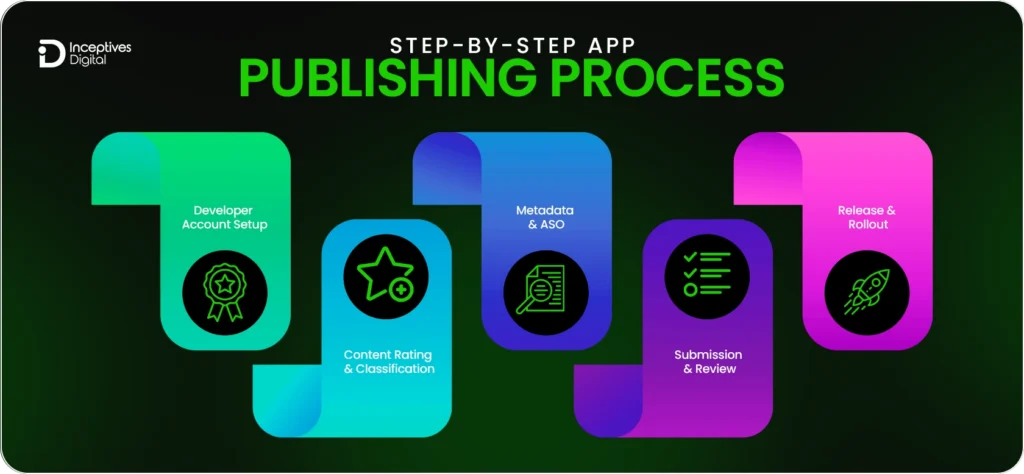
You need to get ready before putting your app out there. That way, you won’t face delays and can get it approved faster. Apple and Google check apps for how well they work, their design, if they follow rules, and all the metadata, so it’s a good idea to spend a little extra time getting things ready.
Creating Your App Listing
First, you need to set up your app in its console. For iOS applications, you’ll need to enter your app’s title, bundle ID, SKU, category, and content rating into App Store Connect. When you’re ready to put your app on Google Play, you’ll need the app’s name, its category, and both a short and long description. You also have to upload your icon, some screenshots, and a feature graphic. Having this information ready makes the submission process much smoother.
Versioning and Build Details
Make sure your app’s versioning is correct before you do anything else.”For iOS, you just need to increment your version and build numbers in Xcode, then once you’ve signed it, upload the build. “For Android, make sure your version code and name are right, then just upload the signed APK or App Bundle. Good version control helps both companies keep track of what’s new and avoid rejections.
Optimizing Metadata and Visual Assets
Write titles and descriptions that are easy to understand and have the right keywords that tell what the app does and what it is about. Good screenshots and demo videos should match what the app actually looks like. Apple uses a keyword field, while Google Play emphasizes a short description, so you’ll want to think about what works best for each when you’re writing.
Privacy, Permissions, and Compliance
Both stores want to see exactly how you’re using people’s data. You need to make sure your app includes a clear privacy policy. It means you have to be honest about the permissions your app asks for, and you’ll need to fill out Apple’s Data Privacy Questionnaire or Google Play’s Data Safety form. If you’re making an app that people around the world will use, you need to be aware of rules like GDPR or COPPA. It’s important to make sure your creation follows these regional regulations.
Final Pre-Submission Check
Before you hit that submit button, just make sure your screenshots, videos, and descriptions really line up with what the app actually does. Just wanted to make sure all the links are working, and that the version numbers and any other details are correct. Getting things ready before you hit submit can really cut down on how long your app or update takes to get reviewed, and it just makes it more likely to get approved.
Submission Comparison: Apple vs Google
| Aspect | Apple App Store | Google Play Store |
| Submission Method | Manual via App Store Connect | Automated via Google Play Console |
| Review Type | Manual, detailed | Mostly automated, selective manual |
| Typical Review Time | Hours to several days | Usually faster; new apps are slower |
| Metadata Checks | Strict; screenshots, permissions, privacy | Strict; Data Safety, permissions, screenshots |
| Release Control | Schedule or immediate | Full or staged rollout |
Pro Tip: Using a step-by-step, checklist-based approach ensures your submission meets all requirements. This reduces review delays, avoids rejections, and helps your app go live faster on both platforms.
Content Rating and App Classification Explained for App Store and Google Play
Before publishing your app, both the Apple App Store and Google Play Store need you to give it a content rating and pick a classification. This way, your app actually gets to the right audience, and it follows all age-appropriate and regional regulations.
Why Content Rating and Classification Matter
- Assists users in locating applications suitable for their age
- Minimizes the chances of infringing policies and getting rejected
- Guarantees adherence to local laws such as COPPA or GDPR when it comes to children
- Affects how much a product is seen and found in the store
Content Rating Systems: Apple vs Google
| Platform | Rating System | Categories / Levels | Notes |
| Apple App Store | App Store Age Rating | 4+, 9+, 12+, 17+ | Determined by content: violence, sexual content, gambling, etc. |
| Google Play Store | Google Play Content Rating | Everyone, Everyone 10+, Teen, Mature 17+, Adults Only 18+ | Use the Google Play questionnaire to automatically assign a rating |
| Both | Regional compliance | GDPR-K, COPPA, local laws | Ensure compliance if targeting children or global users |
How to Assign Content Rating
Apple App Store (iOS):
- In App Store Connect, navigate to the App Information section of your app.
- Respond to the content rating questionnaire truthfully.
- Apple will give a recommended age rating (4+, 9+, 12+, 17+) according to their own discretion.
Google Play Store (Android):
- First, navigate to App Content > Content Rating in the Google Play Console.
- Fill out the questionnaire regarding violence, sexual content, gambling, and user interactions.
- A rating and category will be given by the Google Play Store automatically.
Quick Tips for Accurate Ratings
- Be truthful and meticulous while filling out the questionnaires. Imprecise evaluations might result in the app being suspended.
- Think about worldwide legal requirements in case your app is meant for more than one country.
- Contemplate rating reassessment after significant updates if there is a change in the content.
Pricing, Monetization, and In-App Purchase Setup for App Store and Google Play
Picking the best pricing and monetization strategy is super important for an app to get users and make money. Apple and Google handle paid apps, subscriptions, and in-app purchases a little differently.
1. Choose a Monetization Model
- Free: Earn money through ads or in-app purchases
- Paid: a one-time purchase
- Subscription: Recurring income from weekly, monthly, or yearly subscriptions
- In-App Purchases (IAP): Access to more content or features through payment
Tip: Combining free + IAP/subscription often maximizes reach and revenue.
2. Pricing Overview
| Platform | Paid Apps | Subscriptions | Notes |
| Apple | $0.99–$999 | Weekly, monthly, yearly | Uses predefined pricing tiers |
| Google Play | $0.99–$400 | Weekly, monthly, yearly | Flexible pricing; regional variations |
3. Set Up In-App Purchases
Apple: App Store Connect → Features → In-App Purchases → Set price & type (consumable, non-consumable, subscription)
Google: Play Console → Monetize → In-App Products → Add managed product/subscription
Tip: Test all IAPs using sandbox (Apple) or test accounts (Google) to ensure a smooth user experience.
4. Quick Checklist
- Select a monetization model
- Set up IAPs/subscriptions
- Establish region-specific prices
- Perform purchase tests before launch
- Make sure metadata corresponds to the store listing
Pro Tip: The correct arrangement of pricing and in-app purchases not only guarantees speedier approval but also maximizes the revenue potential, all while preserving a pleasant user experience.
Submitting Your App for Review on Apple and Google
Submitting your app is the final step before it reaches users. Both Apple and Google review apps carefully for design, functionality, and compliance, so preparation is key to avoiding delays or rejection.
Preparing Your App for Submission
Ensure your metadata, screenshots, and preview videos match the final app. Verify permissions, privacy disclosures, and version numbers, and test the app on multiple devices. Proper preparation reduces rejection risk and speeds up approval.
Submitting to the Apple App Store
Submit your app via App Store Connect. Apple performs a manual review of design, functionality, and compliance.
Monitor the status from Waiting for Review → In Review → Approved/Rejected. Address any feedback promptly to ensure faster approval.
Submitting on Google Play Store
Use the Google Play Console to submit your app. Most reviews are automated, but some apps may require manual checks.
Track status from Pending Publication → Approved → Published and respond quickly to any reviewer comments.
Tips for a Smooth Review
- Match screenshots, videos, and metadata with your final build
- Keep privacy policies and permissions up to date
- Test all features thoroughly
- Respond promptly to reviewer feedback
Pro Tip: Treat submission as part of quality assurance—a well-prepared app improves approval chances and leaves a good first impression.
How Long Does App Review Take on Apple and Google?
Knowing how long reviews take really helps you get your app launch ready. Apple and Google have different processes, so the approval times will be different for each.
Apple App Store Review Timeline
Most apps get their reviews done in 24 to 48 hours. However, it can be a week for complex apps or updates with major changes. Manual checks for compliance, functionality, and design can also prolong the process. Apps that break rules or are ambiguous can wait longer for reviews.
Google Play Store Review Timeline
The majority of reviews are done automatically, thus many apps get approved within a time frame of just a few hours up to 1-2 days. However, new accounts, high-risk apps, and apps with sensitive content may have to wait for quite a long manual review process, which is up to 7 days.
App Review Time Comparison: Apple vs Google
| Aspect | Apple App Store | Google Play Store | Notes / Tips |
| Typical Review Time | 24–48 hours | A few hours – 2 days | Standard apps with complete metadata |
| Complex or Major Updates | Up to 7 days | Up to 7 days | Apps with new features, APIs, or SDKs |
| Review Type | Manual | Mostly automated, some manual | Manual reviews can extend timelines |
| Delay Factors | Incomplete metadata, guideline violations, unclear permissions | New app accounts, sensitive content, incomplete Data Safety form | Proper preparation reduces delays |
| Recommended Launch Buffer | 3–7 days | 3–7 days | Helps avoid missed marketing or announcement deadlines |
Are You Concerned About App Review Delays?
Experienced teams know how to prepare apps the way reviewers expect, helping reduce back-and-forth and approval time.
Speed Up Your App ApprovalHow to Publish an App Update on App Store and Google Play
Keeping your app updated is a big deal. It helps sort out any problems, brings in cool new stuff, and really makes it better for everyone who uses it. Apple and Google both have ways to submit updates, and if you follow their guidelines, your updates should get approved fast and reach users smoothly.
Updating Your App on the Apple App Store
- Increment Version and Build Numbers: Verify that the newly assigned version number is greater than the former one in Xcode.
- Update Metadata and Screenshots (if necessary): Change the app description and visuals according to the new features or alterations in your app.
- Submit the Update through App Store Connect: Click your app → choose the last build → present it for evaluation.
- Watch the Review Status: Apple’s updating process is comparable to that of new apps; thus, minor updates might take less time.
Updating Your App on Google Play Store
- Increment Version Code and Version Name: This is mandatory for Google Play to identify the new update.
- Upload Updated APK or App Bundle: The new version is going to replace the old one in Play Console.
- Update Metadata or Store Listing (if needed): Make your description or screenshots to reflect the new features.
- Submit for Review: Google generally relies on automated checks; thus, updates are sometimes quicker than new submissions.
- Monitor Rollout: Use a tagged rollout to release updates slowly and fix any problems that may arise at an early stage.
Managing App Releases and Rollouts on App Store and Google Play
The strategic release is equally significant as the app development process. Good release management and rollout planning guarantee a smooth delivery of your application to the users, a reduction of errors to a minimum, and an opportunity for you to keep a close eye on performance before the full launch.
Apple App Store Release Options
- Manual Release: The procedure here is to let the app be reviewed and then to release it right after getting the approval.
- Scheduled Release: The option is to launch your app on a particular date and time that you have chosen.
- Phased Release: The method includes releasing the update to a few users slowly to watch for problems before the complete rollout.
Google Play Store Rollout Options
- Full Release: Let everyone have the new app or the updated one right away.
- Staged Rollout: Give your app to a certain percentage of users, and the percentage can be slowly increased depending on feedback and app stability.
- Internal/Closed Testing Tracks: Check new features with a very limited number of testers and only then release them to the general public.
Best Practices for Managing Releases
- The nature of your application should guide you in determining the release strategy (whether it be manual, scheduled, or phased).
- You should roll out the application, meanwhile, keeping an eye on the analytics and also the reports of crashes very closely.
- Users should be informed about the new features or fixes via the release notes.
- If any problems occur, you can slow down the rollout.
- The versioning and metadata of both stores should be consistent to avoid confusion.
App Compliance, App Store Optimization, and Advanced Publishing Tips
To get your app published, you need to understand the rules, make things run smoothly, and submit everything the right way. Apple and Google frequently update their rules, so it’s a good idea to check everything before you submit. Doing this, along with App Store Optimization (ASO), really helps your app get noticed, approved more quickly, and downloaded more often.
Why Policies and ASO Matter
App stores are changing their rules to keep everyone’s info safe and make sure the apps are top-notch. If you don’t follow the rules, your application might get rejected or take longer to get approved. If you want your app to show up higher when people search, become easier to find, and reach the right audience. Make sure you routinely refresh your app’s metadata, keywords, and visuals so it stays compliant and running smoothly.
Staying Compliant and Optimized
- Be sure that metadata, descriptions, and screenshots are not only accurate but also rich in keywords.
- Alongside that, keep privacy policies, permissions, and Data Safety forms up to date.
- Check the compliance of the third-party SDKs through audits.
- Utilize staged rollouts and internal testing to keep an eye on updates.
- Monitor guideline alterations through developer portals, forums, or alerts.
Advanced Tips for Faster Publishing
- Perform pre-submission checks: check the functions, check the metadata, and check the version/build numbers
- Write a detailed release note that points out new features
- In case of sensitive or edge-case categories (finance, health, kids), furnish all the required disclosures
- Rollback strategy for enterprise or SaaS apps to limit risk
- Maximize the keywords, title, and visuals for discoverability through optimization
Final Thoughts
Publishing apps to Apple App Store or Google Play may seem complex, but when broken down into manageable steps such as creating developer accounts, assigning content ratings, and overseeing updates it becomes manageable. Staying compliant while optimizing for visibility helps reduce rejections while reaching the correct audience smoothly.
Remember, app publishing isn’t just a one-off task. Regular updates, monitoring guideline changes, and fine-tuning your metadata and ASO strategy are integral parts of maintaining its success.
If you want to streamline this process and ensure everything goes as planned, partnering with experienced mobile app developers may help smooth out the steps more efficiently while keeping your focus on building great features.
Need Hands-On Help With App Publishing or Updates?
Whether you’re launching your first app or managing ongoing updates, expert support can simplify the entire process.
Talk to a SpecialistFrequently Asked Questions About App Publishing
No. For publishing your work on Google Play or the Apple App Store, the app must be registered with an active developer account. Apple needs the Apple Developer Membership in the Program, and Google will require the creation of a Google Play Developer account. This account gives access to all devices needed to publish and update your application.
Yes. It is possible to publish identical apps across both iOS and Android platforms by using a cross-platform app development approach. However, each store comes with specific submission requirements as well as guidelines and a process for reviewing. It is necessary to create platform-specific designs, metadata, and images for every store.
It is possible to update your application whenever you want. However, it’s advised to schedule updates in advance. Frequent minor updates may help fix issues or add new capabilities, whereas major upgrades could require more time for review. Both Apple and Google permit multiple updates; however, each update is reviewed by the company that submitted it.
If your application is deleted for violating policies or any other reason, it will not be available on the app store until the issue is resolved. It’s common to receive feedback or a note explaining the reason for removal. Once you have resolved the issue, you’ll have the option of submitting your application to be reviewed. Monitoring and regular compliance check procedures help to prevent the removal of your application.