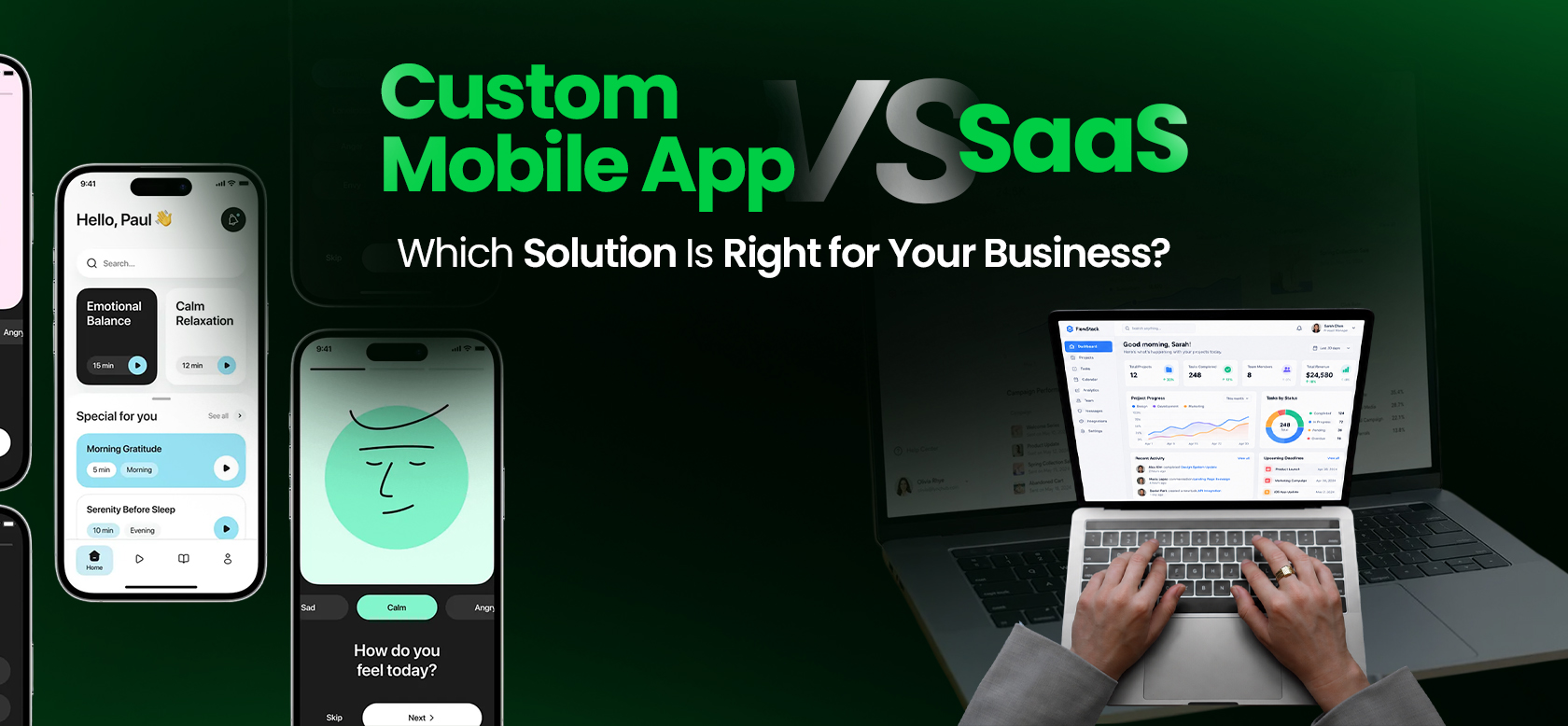
- The right choice is not about which option is better overall. It depends on your budget, growth plans, and how standard your workflows are.
- SaaS launches in days with low upfront cost. Custom builds take months but give you control over features, data, and roadmap.
- A basic custom MVP typically costs $25,000 to $60,000, plus 15–20% of build cost per year for maintenance.
- SaaS fees scale with seats, usage, and tiers. Over three to five years, stacked subscriptions can cost more than a custom build.
- Custom software means owning your code and data. SaaS means renting access, with vendor lock-in as the trade-off.
- Startups validating demand usually do better with SaaS or a lean MVP first.
- A hybrid stack often works best: build what differentiates you, and rent everything else.
Every growing business eventually faces the same question: build or rent it?
Both are valid paths. SaaS gets you running fast and keeps upfront costs low.
Custom mobile app development costs more to build, but gives you control, flexibility, and a product that’s actually built around how your business works.
The right answer isn’t about which option is better in general. It depends on your budget, your growth plans, and how closely your workflows match what off-the-shelf tools were designed for.
Plenty of founders ask why invest in custom mobile app development when SaaS already exists. Others find that a stack of subscriptions still cannot match how they operate.
This guide walks through the framework we use with clients, so you can make the call with a clear picture of what each path costs now and later. If the answer points toward building, custom software development is the natural next step.
Custom Mobile App vs SaaS: A Quick Glance
The main differences between SaaS and custom development involve initial investment, implementation effort, control, and ongoing responsibility. The comparison below outlines the typical trade-offs, although the details depend on the product, vendor, and project scope.
| Factor | Custom mobile app | SaaS |
| Implementation time | Usually weeks to months, depending on scope | Often days to weeks, depending on configuration and integrations |
| Initial investment | Higher development cost | Usually lower initial cost |
| Ongoing costs | Maintenance, hosting, support, and further development | Subscription, usage, seats, and additional services |
| Product control | Greater control over features and roadmap | Depends on vendor capabilities and customization options |
| Customization | Can support specific workflows within the agreed scope and budget | Limited by available features, configuration, APIs, and vendor policies |
| Integrations | Can be designed around required integrations | Depends on available APIs, connectors, and integration effort |
| Scalability | Depends on architecture, infrastructure, and engineering investment | Depends on the provider’s capabilities, service limits, and pricing |
| Security and compliance | Your team and development partner must implement and maintain appropriate controls | Responsibilities are shared between the provider and customer |
| Maintenance | Managed by your team or development partner | Core platform maintenance is generally handled by the vendor |
| Long-term cost | Depends on development, maintenance, and future changes | Depends on subscription growth, usage, and vendor pricing |
The right choice depends on how well each option meets your requirements and what it will cost to operate over time.
A hybrid approach may also make sense when SaaS covers standard functions but cannot handle a critical business workflow.
Ask Yourself These 5 Questions Before Choosing Custom Development or SaaS
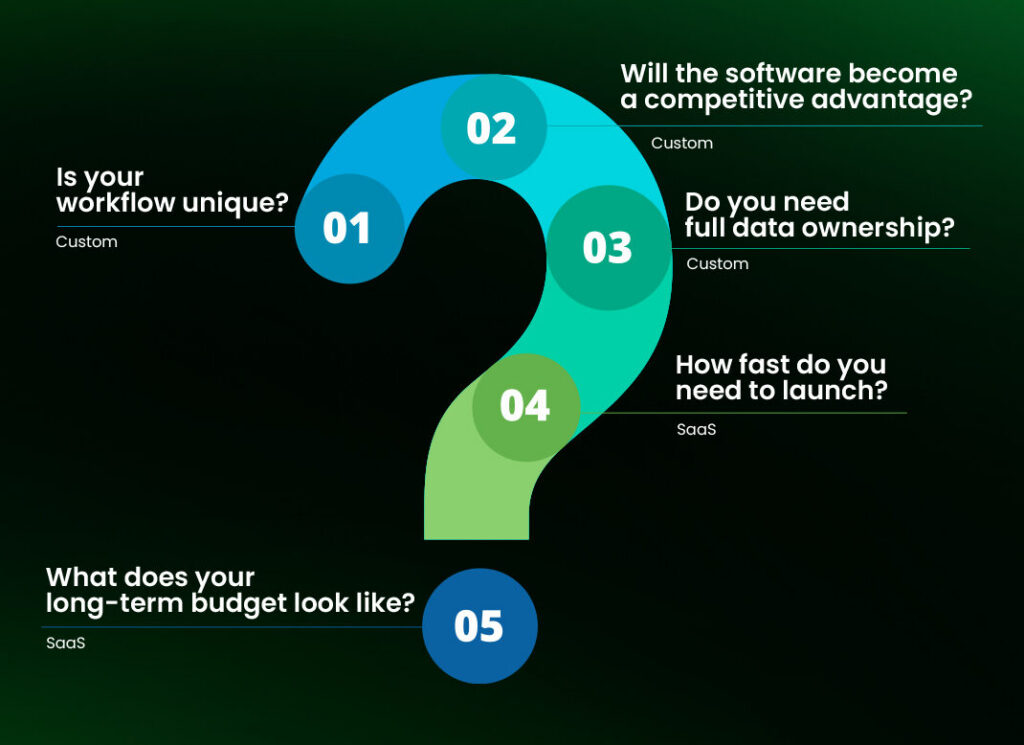
Before comparing features or costs, answer these questions honestly. Your answers will point you toward the right category faster than any spec sheet.
- Is your workflow unique? If yes, custom is likely worth it. Standard, industry-wide processes already have SaaS tools built for them, so uniqueness is one of the clearest signs a startup needs custom software development.
- Will the software become a competitive advantage? If customer experience drives revenue, lean custom. Competitors can buy the same SaaS tool, so it can’t set you apart.
- Do you need full data ownership? Full ownership means custom. With SaaS, the vendor controls your data environment, not you. If your industry requires direct control over data, SaaS won’t meet that bar.
- How fast do you need to launch? Speed favors SaaS. It can go live in days. But custom takes months to build and test, even with lean MVP development.
- What does your long-term budget look like? SaaS keeps monthly costs low and predictable, but that adds up to more over the long term. Custom costs more upfront, then costs less every year after that.
Understand the Difference Between a Custom Mobile App and SaaS
What Is a Custom Mobile App?
A custom mobile app is software built specifically for your business, from the ground up or on a tailored codebase. Instead of adjusting your workflows to fit a template, the app gets built around how your team and customers actually operate.
Apps like Starbucks’ mobile ordering system or Domino’s ordering platform are all custom-built. None of them run on a generic template, because their entire business model depends on an experience no off-the-shelf tool could replicate.
A few things define this category:
- Every screen, workflow, and integration is designed for your specific processes
- You own the code and control the product roadmap
- You decide when and how the app evolves, not a vendor
Think of it less as a purchased tool and more as a long-term asset, one that compounds in value as your business scales rather than depreciating like a subscription you stop paying for.
That mindset sits at the heart of digital product development, where the product keeps evolving long after launch.
What Is SaaS?
SaaS, short for Software as a Service, is software you access through a subscription instead of building or owning. Salesforce, Slack, and QuickBooks are familiar examples. You sign up, log in, and the tool works largely the same way for every business that uses it.
The outcome is straightforward:
- The provider hosts, maintains, and patches the software
- Updates are released according to the vendor’s schedule, not yours.
- You get a ready-to-use tool almost immediately
- In exchange, you operate within the boundaries the vendor has set
That convenience has fueled rapid growth across the category.
Businesses have adopted SaaS tools fast enough to push the global SaaS market from $315.68 billion in 2025 to a projected $375.57 billion in 2026, growing at a compound annual rate near 18.7% through the next decade.
Custom Mobile App vs SaaS: Detailed Comparison
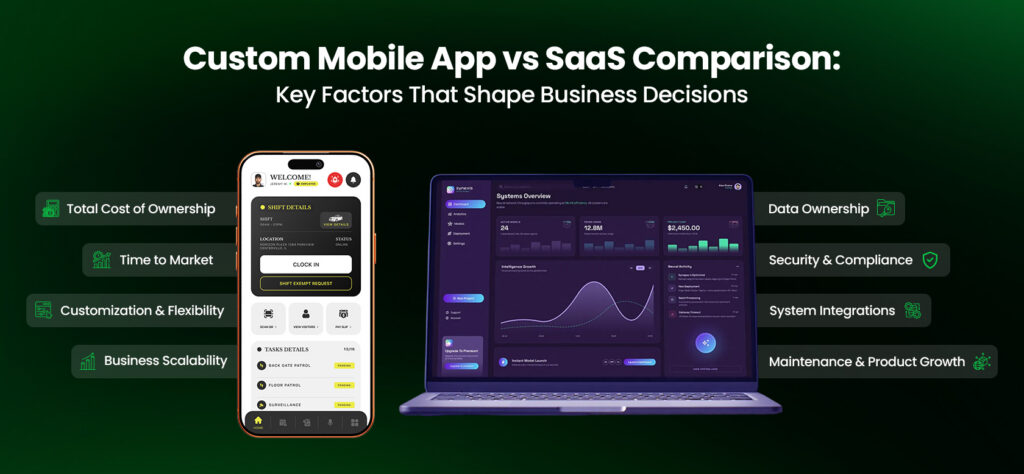
No single factor settles this decision alone. The eight comparisons below cover the ones that consistently matter most across industries and business sizes.
1. Cost & Total Cost of Ownership
Custom software needs a larger investment upfront. SaaS costs less to start, but its ongoing subscription fees often add up to more than a custom build within a few years.
A basic custom MVP typically runs $25,000 to $60,000, though real MVP development cost vary with scope. A mid-complexity build with real integrations lands closer to $50,000 to $150,000. Maintenance adds another 15–20% of build cost every year after that.
| Build Type | Typical Upfront Cost | Annual Maintenance |
| Basic MVP | $25,000–$60,000 | 15–20% of build cost |
| Mid-complexity app | $50,000–$150,000 | 15–20% of build cost |
So a $100,000 build means budgeting roughly $15,000 to $20,000 a year to keep it running. That range shifts based on several factors affecting app development cost, so treat it as a starting point, not a fixed number.
SaaS looks cheaper at first glance. There’s no build cost at all. But subscription pricing scales with seats, usage, or feature tiers, and most companies aren’t running just one tool.
- The average organization now uses over 130 SaaS applications at once
- According to Fungies.io’s 2026 SaaS market report, businesses reportedly waste close to $18 billion a year on subscriptions nobody uses.
Run that math over five years. A stack of five or six SaaS tools at $200 to $2,000 a month each can quietly exceed the cost of a custom build, without ever becoming something you own.
2. Time to Launch
SaaS launches in days. Custom development takes months.
Signing up for SaaS, configuring settings, and onboarding your team can happen within a week. The timeline for a custom mobile app is longer, though. It goes through discovery, design, development, and testing before anyone can use it.
| Approach | Typical Timeline |
| SaaS setup | Days to 2 weeks |
| Lean MVP | 8–16 weeks |
| Mid-sized custom app | 20–36 weeks |
Source: Ace Infoway, 2026 development benchmarks
If you are working out how to validate your mobile app idea or testing market demand, that timeline gap is often reason enough to start with SaaS or a lightweight MVP before committing to a full custom build.
A realistic app development timeline shows where those weeks actually go.
3. Customization & Business Flexibility
SaaS limits customization to the vendor’s existing settings and features. Custom software has no such limit, since every feature gets built around your specific workflow.
SaaS platforms serve thousands of businesses at once, so customization means working within whatever settings, plugins, or add-ons the vendor has already built. If your process falls outside that box, you have two options:
- Bend your workflow to match the software
- Stack third-party tools to patch the gap
Neither option holds up well long-term. A custom app removes that tradeoff entirely. Every feature, screen, and rule gets shaped around how your team actually works, and that flexibility becomes more valuable the more specific your processes get.
4. Scalability as Your Business Grows
SaaS scales within the limits your vendor sets. Custom software scales within the limits you set.
SaaS platforms do grow to handle more users, but you’re still bound by the vendor’s pricing tiers, rate limits, and feature restrictions. Adding users often means moving up a pricing bracket. Expanding into a new market or platform might mean the tool simply doesn’t support what you need next.
A custom app scales differently:
- You decide how the architecture handles more users, more regions, or new platforms
- You control the codebase, so there’s no vendor roadmap to wait on
- That flexibility costs engineering time, but it removes the growth ceiling SaaS imposes
Planning for cross-platform app development early helps when new devices enter the roadmap. Ongoing mobile app performance optimization keeps the experience fast as traffic grows.
From Our Work: DPS Airem
DPS Airem, a custom security management platform Inceptives Digital built for DPS Group, shows this in practice. The platform needed to support multiple organizations, thousands of field guards, and real-time GPS tracking at once, a scale and role complexity that off-the-shelf tools weren’t built to handle. After launch, the platform delivered real-time tracking across 1,000+ active guards and a 90% reduction in manual paperwork.
5. Data Ownership & Intellectual Property
With SaaS, you are renting access. Whereas with custom software, you own the asset outright.
The SaaS provider controls the servers, the source code, and often the terms under which your data can be exported. This creates vendor lock-in. Switching platforms later means:
- Migrating your data
- Retraining your team
- Possibly losing historical records or integrations that don’t transfer cleanly
Custom software puts ownership fully in your hands. You hold the source code, control the data environment, and aren’t exposed to a vendor’s pricing changes, feature removals, or, in worst cases, a company shutting down entirely. For businesses where the software is a core asset, ownership isn’t optional. It’s the foundation everything else stands on.
6. Security, Compliance & Risk
Security is a financial risk as much as a technical one, and the cost varies sharply depending on your industry.
The global average cost of a data breach reached $4.44 million in 2025. That number climbs sharply in regulated industries:
| Industry | Average Breach Cost (2025) |
| Healthcare | $7.42 million |
| Financial services | $5.56 million |
| Global average (all industries) | $4.44 million |
Source: IBM, 2025 Cost of a Data Breach Report
If your business operates under HIPAA, GDPR, SOC 2, or PCI DSS, security requirements are defined by the regulation. Each framework sets specific technical and procedural standards your infrastructure has to meet.
SaaS vendors typically carry their own compliance certifications, which can simplify your obligations, but only if their certification matches your exact regulatory needs.
Custom software puts security architecture entirely under your control. That’s why regulated industries tend to move custom once their compliance requirements get too specific for any off-the-shelf certification to fully cover.
Real-World Example: State of the Art Chiropractic
A chiropractic clinic we worked with needed more than basic data protection. It needed the kind of control that only comes from proper telemedicine app development: video consultations, payments, and compliance architecture, all built to spec.
The team behind State of the Art Chiropractic built a custom platform around those exact requirements. Within its first quarter, the result was a 60% drop in appointment management time and a 40% increase in online consultations.
7. Integrations With Existing Systems
SaaS integrates with what the vendor has built. Custom software integrates with whatever your operations require.
SaaS platforms offer integrations, but only the ones the vendor has built or approved through their marketplace. If your stack needs something outside that list, you have two options: wait for the vendor to add it, or hire developers to build a custom workaround around the platform’s limits.
Custom software removes that constraint. Integrations get built to your exact specification, connecting to CRM, ERP, payment, or legacy systems however your operations require, without depending on a third party’s approval.
8. Maintenance & Product Evolution
SaaS maintenance happens automatically, on the vendor’s schedule. Custom maintenance happens on yours, at the cost of managing it yourself.
With SaaS, the vendor handles patches, security updates, and infrastructure in the background, and you receive the updated product without any action required. That convenience carries a tradeoff: features can change, get removed, or shift in ways that disrupt your workflow without warning.
Custom software puts the responsibility for maintenance on you, whether through an internal team or a development partner:
- Budget 15–20% of the original build cost annually for updates and upkeep
- Plan for ongoing performance monitoring as part of that cost
Tracking mobile app maintenance cost early keeps that budget realistic.
In exchange, you control exactly what changes, when, and why, keeping the product aligned with your roadmap rather than a vendor’s.
Pros and Cons of Custom Mobile Apps
A custom mobile app pays off when your business has outgrown generic tools, but it comes with real tradeoffs worth weighing honestly.
| Advantages | Challenges |
| Built around your exact workflow, not a generic template | Higher upfront investment ($25K–$150K+ for most builds) |
| Full ownership of code, data, and roadmap | Longer time to launch (8–16 weeks minimum for an MVP) |
| No feature ceiling imposed by a vendor | Requires an internal team or reliable dev partner for maintenance |
| Security and compliance architecture under your control | You own the risk if the build is scoped or executed poorly |
| Becomes a real business asset that compounds in value | Harder to reverse course once significant capital is invested |
Pros and Cons of SaaS
SaaS earns its popularity for good reason, but its convenience has a ceiling that shows up as your business grows more complex.
| Advantages | Limitations |
| Live in days, not months | Customization capped by the vendor’s feature set |
| Low or no upfront cost | Subscription costs scale with seats, usage, or tiers |
| Vendor handles hosting, patching, and updates | No ownership of code or full control over your data |
| Easy to test and abandon if it’s not the right fit | Vendor lock-in makes switching costly later |
| Predictable monthly spend for standard workflows | Integrations limited to what the vendor supports |
Not Sure Whether to Build or Subscribe?
Get a clear recommendation based on your workflows, budget, and growth plans before you commit to either path.
Get My Build vs Buy Review!Which Solution Fits Your Business Stage?
Business stage can influence the decision, but it should not determine it on its own. The right approach depends on product differentiation, workflow complexity, available capital, and the team’s ability to maintain the solution.
| Business situation | Recommended Solution | Why |
| Startup validating demand | SaaS, prototype, or lean MVP | Limits initial commitment while testing core assumptions |
| Growing business with mixed needs | Hybrid | Keeps standard functions on SaaS while addressing specific gaps through custom development |
| Scaling company facing recurring limitations | Configure, integrate, or build selectively | Helps determine whether existing tools can solve the problem before replacing them |
| Enterprise with complex operational requirements | SaaS, custom, or a combination | Architecture, governance, integration, and operating requirements determine the fit |
Industry Examples in Practice
D2C Ecommerce: A direct-to-consumer brand might run Shopify for storefront and checkout, keeping that part of the business on SaaS.
But loyalty programs and personalized recommendations, the layer that actually drives repeat purchases, often get built custom, since that’s the experience customers remember and competitors can’t easily copy.
A specialist ecommerce app development company can build that layer on top of the SaaS storefront.
Healthcare: A clinic’s decision usually comes down to one factor: patient data control. The moment HIPAA compliance and data ownership become non-negotiable, SaaS options narrow fast, and a custom platform becomes the practical path.
That is why healthcare app development projects often begin with compliance requirements.
When Should You Choose a Custom Mobile App?
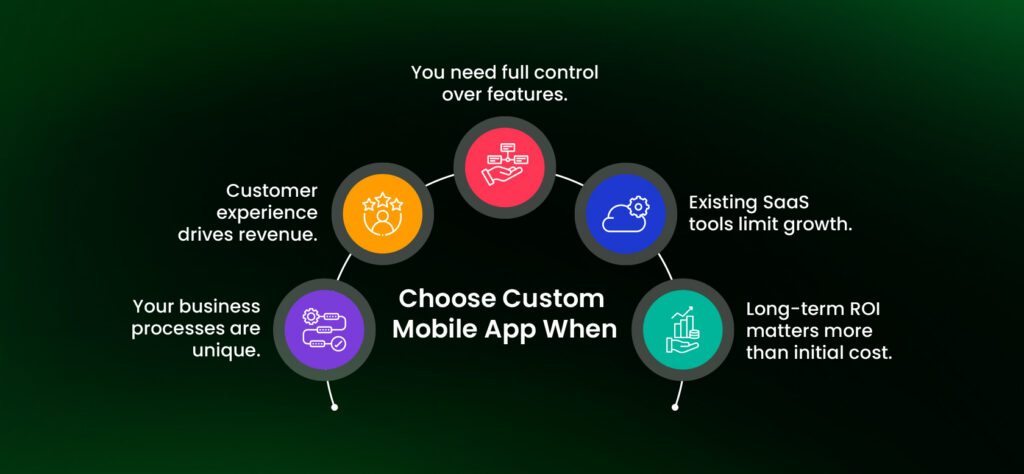
Custom development deserves consideration when the limits of existing software have measurable business consequences. Look for evidence that the requirements justify the investment.
Building on assumptions is one of the common reasons digital products fail.
- Your business processes are unique. If your operations don’t match a generic template, forcing them into SaaS software creates workarounds that pile up over time and slow your team down.
- Customer experience drives revenue. When how your product feels, rather than what it does, determines whether customers stay or leave, owning the entire experience is more important than saving money on a subscription.
- You need full control over features. Waiting on a vendor’s roadmap for a feature your business needs today isn’t a viable strategy once that feature starts affecting revenue.
- Existing SaaS tools limit growth. If you are hitting pricing tiers, API limits, or workflow walls regularly, that friction is a signal worth listening to, not a bug to work around indefinitely.
- Long-term ROI matters more than initial cost. Businesses planning to run the same core workflow for five-plus years usually save money building custom once subscription costs get calculated over that same horizon.
When Is SaaS the Better Choice?
SaaS is a strong option when an existing product meets your requirements without expensive workarounds or unacceptable technical and contractual constraints.
- You need to launch quickly. If speed to market matters more than a perfect fit right now, SaaS gets you operational in days instead of months. A clear product launch strategy still matters, because fast setup does not guarantee adoption.
- Your budget is limited. Without capital for an upfront build, a subscription model spreads cost over time and keeps cash flow predictable.
- Your workflow is standardized. If your business runs on the same processes as most companies in your industry, a mature SaaS product built for that exact use case probably already exists.
- You don’t need extensive customization. Some businesses genuinely don’t need software tailored to a unique process. Using what already works well saves both time and money.
- You’re testing a new market. Entering an unproven market with custom software locked in from day one adds risk you don’t need yet. SaaS keeps your options open while you learn what actually works.
Can You Combine Custom Development and SaaS?
Yes, and for most growing businesses, this hybrid approach is the practical answer rather than an either-or decision.
The idea is simple: use SaaS for functions that don’t differentiate you, and invest in custom development where the software itself creates competitive advantage.
What a Hybrid Stack Looks Like
A typical hybrid setup builds the differentiating parts of the business custom and rents everything else.
| Build Custom | Use SaaS |
| Customer-facing mobile app | CRM |
| Loyalty and rewards program | Accounting software |
| Booking or scheduling platform | Payroll |
| Core product experience | Email marketing tools |
Back-office tasks that stay on SaaS can still be streamlined through business process automation, so the stack feels connected.
Benefits of the Hybrid Approach
- Keeps costs predictable by avoiding unnecessary custom builds for standard back-office needs
- Frees up budget to invest more deeply in the parts of the product that actually matter to customers
- Reduces risk, since you’re not rebuilding your entire stack at once
- Gives you room to prove out custom investments in the areas with the clearest ROI first
How to Transition From SaaS to a Custom Mobile App
Plenty of businesses reach a point where the SaaS tool that got them started becomes the thing holding them back. Migrating to custom software is a real project, not a weekend switch.
It helps to choose the right mobile app development company before planning begins, because the partner shapes how much disruption you face.
1. Signs You’ve Outgrown SaaS
- Your team spends more time building workarounds than using the tool as intended
- Integration requests keep getting denied or delayed by the vendor
- Subscription costs have crept up faster than the value you’re getting
- Competitors with custom tools are outperforming you on customer experience
2. Planning Your Migration
Start with a clear map of every workflow currently running on the SaaS platform, along with the data that needs to move with it. A short discovery sprint is a practical way to do that. Define what “done” looks like before development starts, so scope doesn’t quietly expand mid-build.
3. Reducing Downtime During Migration
Run the custom build in parallel with your existing SaaS tool for a defined testing window, rather than cutting over all at once. Migrate in phases, department by department or workflow by workflow, so a single issue doesn’t stall the entire operation.
4. Maintaining Existing Integrations
Document every integration your SaaS tool currently supports before migration starts. Build the custom app’s integrations to match or improve on that functionality before decommissioning the old platform, not after.
Common Mistakes to Avoid When Moving From SaaS to Custom Software
A migration can introduce as many problems as it solves if the team commits to development before validating the requirements. Many of the common mobile app development mistakes start exactly there.
Watch for these before you commit either way.
- Replacing SaaS without evaluating alternatives. Configuration changes, better integrations, or a different provider may solve the problem at lower cost.
- Rebuilding every existing feature. Review usage and business value before carrying legacy functionality into the new product.
- Underestimating data migration. Inconsistent records, undocumented fields, and dependencies between systems can complicate the transition.
- Ignoring post-launch responsibility. Budget for security updates, monitoring, support, infrastructure, and future development before approving the build.
- Switching before validation is complete. Test critical workflows, permissions, integrations, and recovery procedures before retiring the existing service.
Final Decision Checklist: Custom App or SaaS?
Use this checklist to narrow your options before committing to an implementation plan.
| If You Need… | Best Choice |
| Fast deployment | SaaS |
| Unique, non-standard workflows | Custom |
| Full ownership of code and data | Custom |
| Lower upfront cost | SaaS |
| Long-term scalability on your terms | Custom |
| Predictable, low monthly expenses | Custom (after initial build) |
| Competitive differentiation through software | Custom |
There’s no universal winner in the custom mobile app vs SaaS decision. The right choice depends on your business model, growth trajectory, budget, and how much your software needs to reflect a process nobody else runs quite the way you do.
Work through the framework above honestly, and the answer usually becomes clear well before you need to commit any budget.
Build the Right Solution for Where Your Business Is Going
The right choice here was never about which option is objectively better. It’s about where your business is headed, how complex your operations have become, and whether your workflows are standard enough for off-the-shelf tools or unique enough to demand something built specifically for you.
If you’re weighing this decision and want a second set of eyes on it, start with product strategy consulting. We’ll help you map the tradeoffs against your actual goals, not a generic checklist.
Still Deciding on Custom vs SaaS?
Every business’s answer looks a little different depending on where it stands today and where it’s headed next. If you’d rather talk it through than decide alone, we’re happy to help you map the tradeoffs against your actual goals.
Book a Product Strategy ConsultationFrequently Asked Questions
Upfront, yes. Most custom builds start around $25,000 and can exceed $150,000 for complex projects. SaaS has little to no upfront cost. Over three to five years, though, stacked SaaS subscriptions can cost more than a custom app that you own outright.
Yes, but SaaS or a lean MVP usually validates the model first. Custom development becomes the stronger move once SaaS limitations start costing real revenue.
A simple MVP typically takes 8 to 16 weeks. A full-featured app typically takes 3 to 9 months, depending on complexity, platform, and integration requirements.
Yes, through APIs. Businesses keep differentiating features custom while commodity functions, like accounting or email marketing, keep running on existing SaaS platforms.
Many SaaS vendors hold SOC 2, HIPAA, or PCI DSS certifications, but compliance still depends on their controls. Custom software gives regulated industries more direct security control.
Yes. A smooth migration documents existing workflows and integrations, runs both systems in parallel, and moves data in stages to avoid operational disruption.
It depends on your timeline and how standard your workflows are. SaaS often wins on short-term ROI. Custom software typically wins on long-term ROI once subscription costs add up.
Generally the business, provided the contract specifies it clearly. Ownership is a key structural difference from SaaS, so confirm terms in writing beforehand.
Per-seat fees and usage tiers often push real spend to two to four times the advertised price. Calculate cost at 3x team size, not today’s headcount.
Compare the workflow against a leading SaaS tool’s default setup. Minor configuration fixes fit fine. Constant workarounds or manual steps signal a custom candidate.
Yes. AI-assisted coding and modular frameworks have cut custom timelines significantly. Work that took a year often ships in a few months now.
SaaS lock-in comes from costly switching, data migration, retraining, and lost history. Custom removes that risk structurally, since the business owns its code and data outright.